 Aloudeal
 How to contact a seller on Amazon
The process for contacting a seller on Amazon is slightly different depending on if you’ve already placed an order with them or not.
To contact a seller on Amazon after you’ve placed an order:
1. Go to the Amazon website and log into your account.
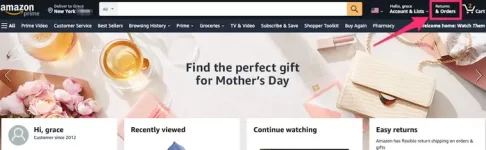
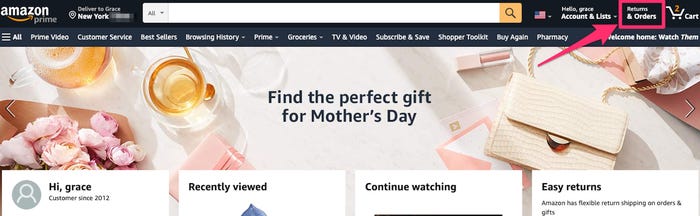
2. Click on “Returns & Orders,” located in the top-right corner of the screen.
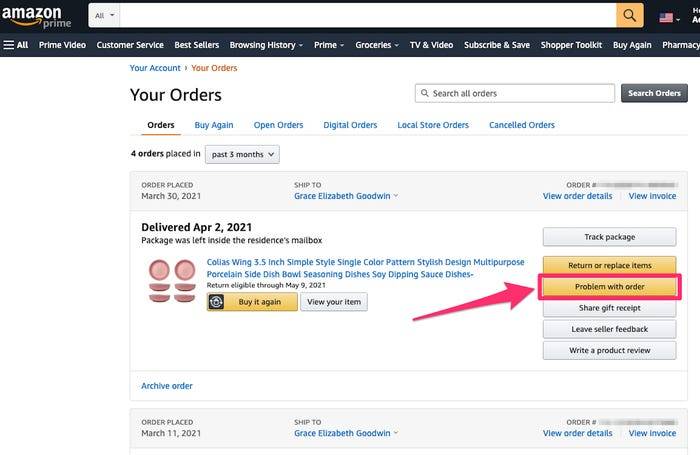
3. On the “Your Orders” page, find your order in the list and click the yellow “Problem with order” button.
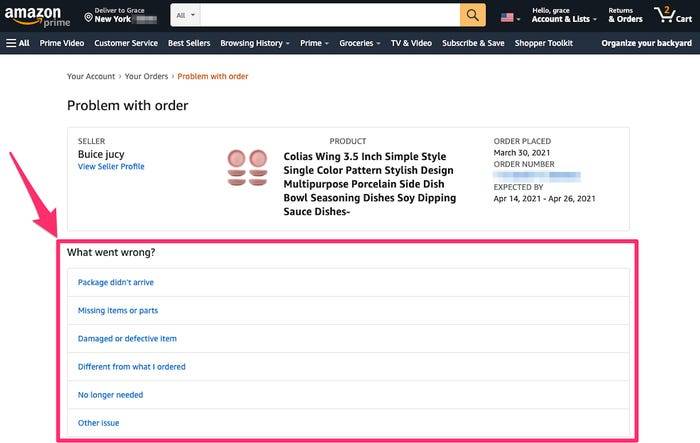
4. On the next screen, under “What went wrong?” select a topic from the list.
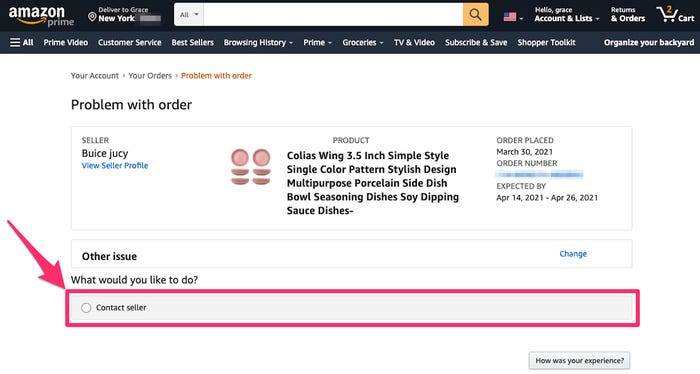
5. On the next page, under “What would you like to do?” click “Contact seller.”
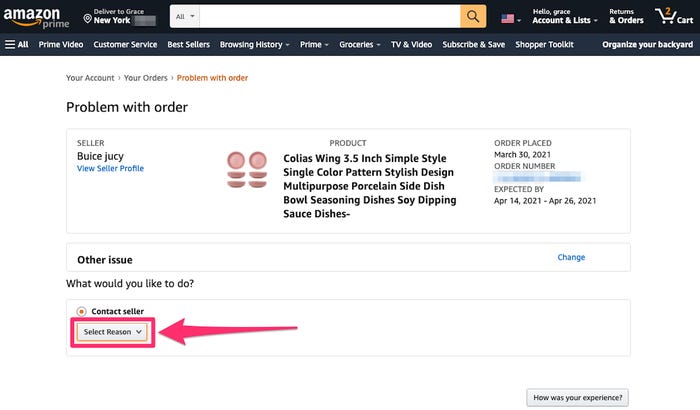
6. Choose an option in the “Select Reason” drop-down.
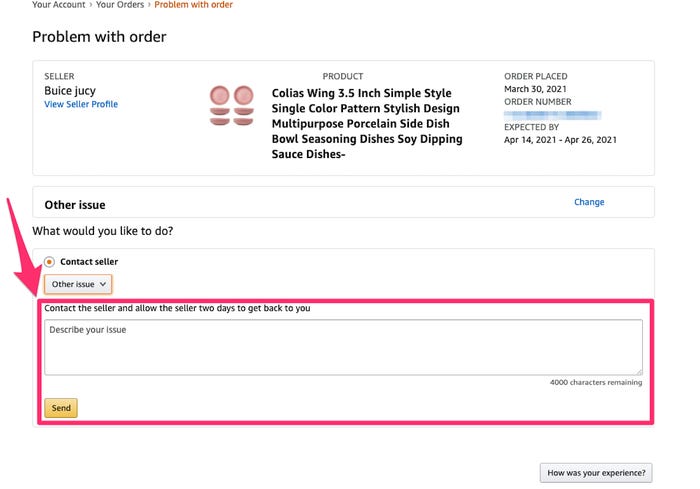
7. Then, type your message in the box that appears and click “Send.”
To contact a seller before you place an order:
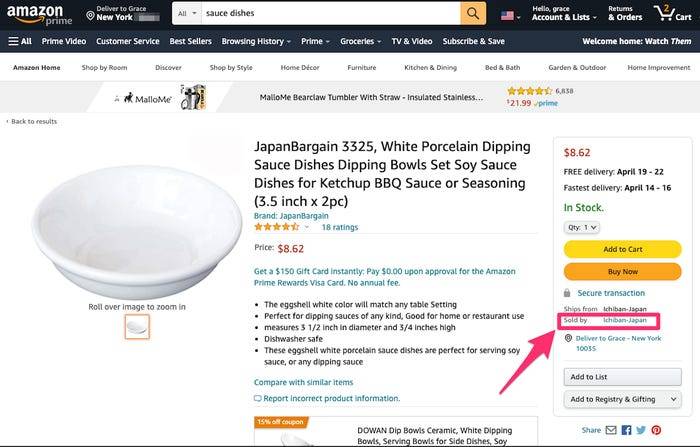
1. On the product details page, click on the name of the seller. This should be located on the right side panel under the “Add to Cart” and “Buy Now” buttons, next to “Sold by.”
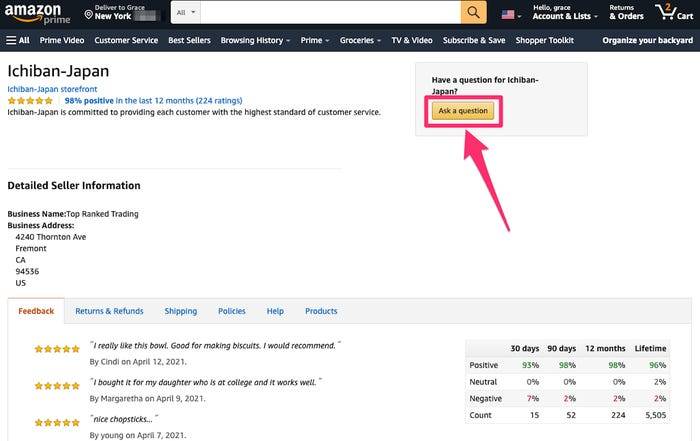
2. On the seller’s page, click “Ask a question” in the upper-right corner.
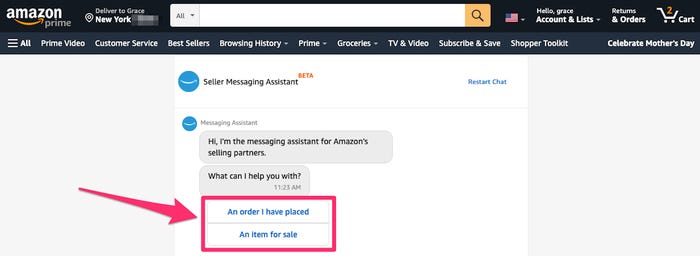
3. You’ll be taken to the Seller Messaging Assistant. In the chat window, select the appropriate options that pertain to your question.
4. After clicking through a few multiple choice options, a message box should appear where you can type a specific question and attach files if you wish.
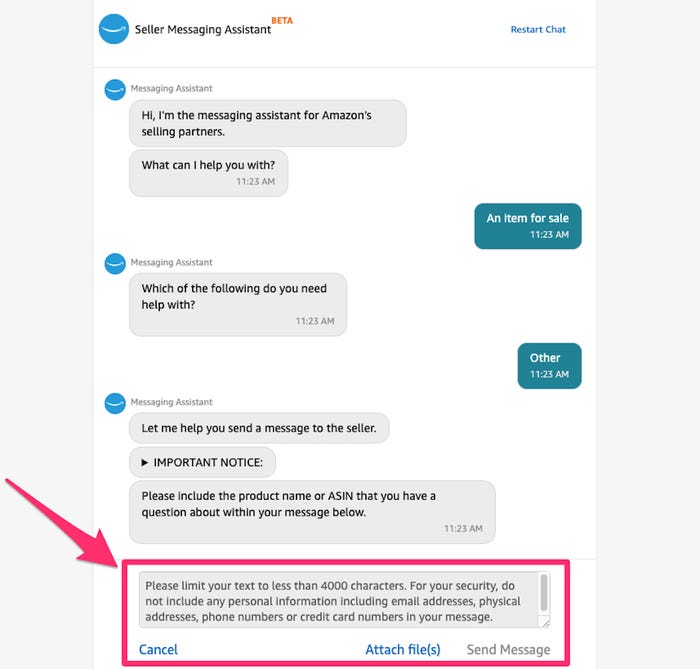
5. Once you’ve typed your message, click “Send Message.”
Contact a seller on Amazon in the Buyer/Seller Message Center
You can also directly access all your messages with sellers on Amazon. To view or reply to a conversation with a seller, you’ll need to go to the Buyer/Seller Message Center.
1. Go to the Amazon website and log into your account.
2. Hover your mouse over “Accounts & Lists” in the top-right corner and click “Account” under “Your Account” in the drop-down.
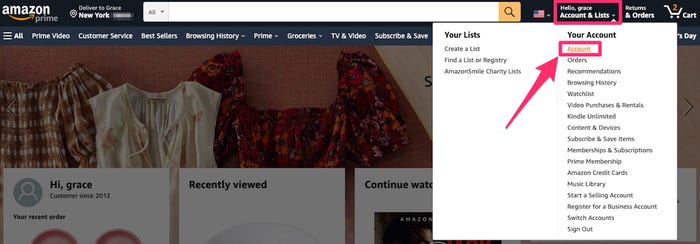
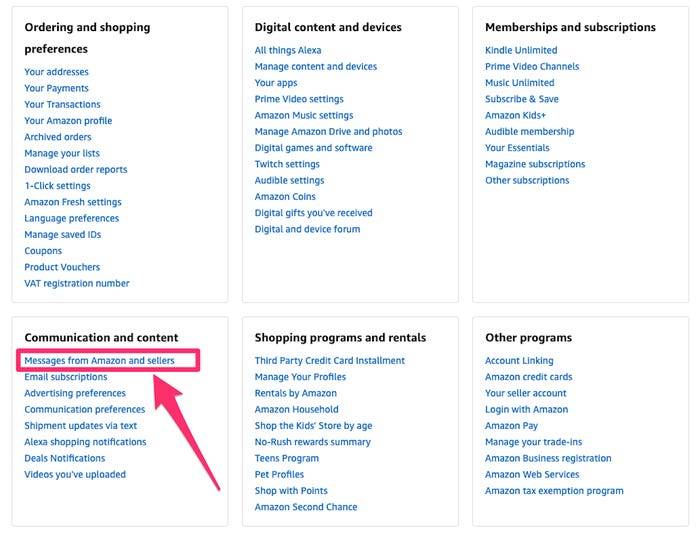
3. On the Your Account page, scroll down to the “Communication and content” box and click “Messages from Amazon and sellers.”
4. In the Message Center, click the tab for “Buyer/Seller Messages.”
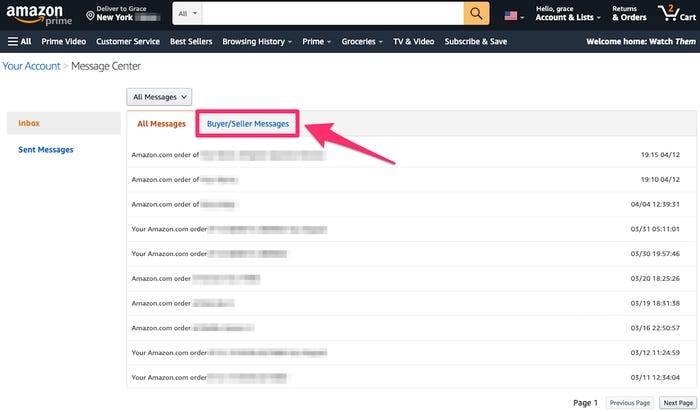
5. Find and click on the message you want to view or reply to. To reply to a message, click “Reply” above that message.
Note: Amazon recommends giving the seller two days to reply to your message. If the seller doesn’t get back to you within two days, you can request an “A-to-z Guarantee” refund.